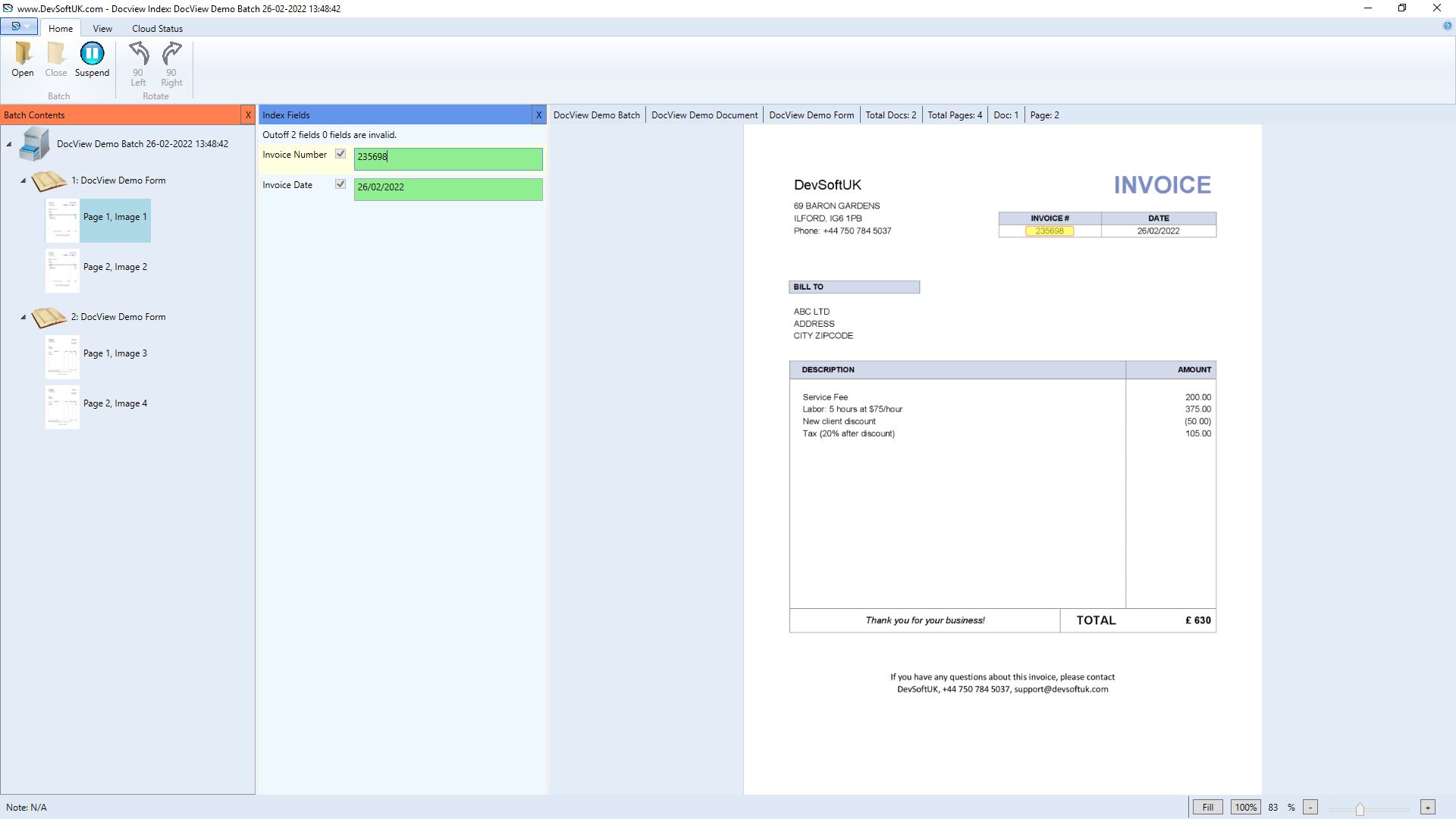
Index Module
The Index module in DocView Capture allows users to manually index document fields for all documents within a scanned batch.
Each field value is validated against predefined formatting and rules. Users can either manually enter a value or draw a zone on the image, triggering OCR to automatically populate the field.
Input Configuration
Supported Index Field Types
Text
Captures alphanumeric information such as names, invoice numbers, customer IDs, or reference codes. Supports validation rules like character limits or required patterns.Date
Accepts calendar-based values (e.g., invoice date, due date) in formats like DD/MM/YYYY. Can auto-validate logical date ranges to ensure consistency.Number
Used for numeric data such as invoice totals, quantities, discounts, or tax amounts. Configurable for integer or decimal formats.Lookup List
Provides a dropdown populated from a predefined dataset (e.g., clients, departments, project codes) to ensure consistent data entry and reduce errors.