Search
The Search module lets operators and supervisors locate documents that have already been captured or are still being processed. Use it for customer enquiries, audit checks, operational follow-up, or verifying that a specific document has been received and indexed correctly.
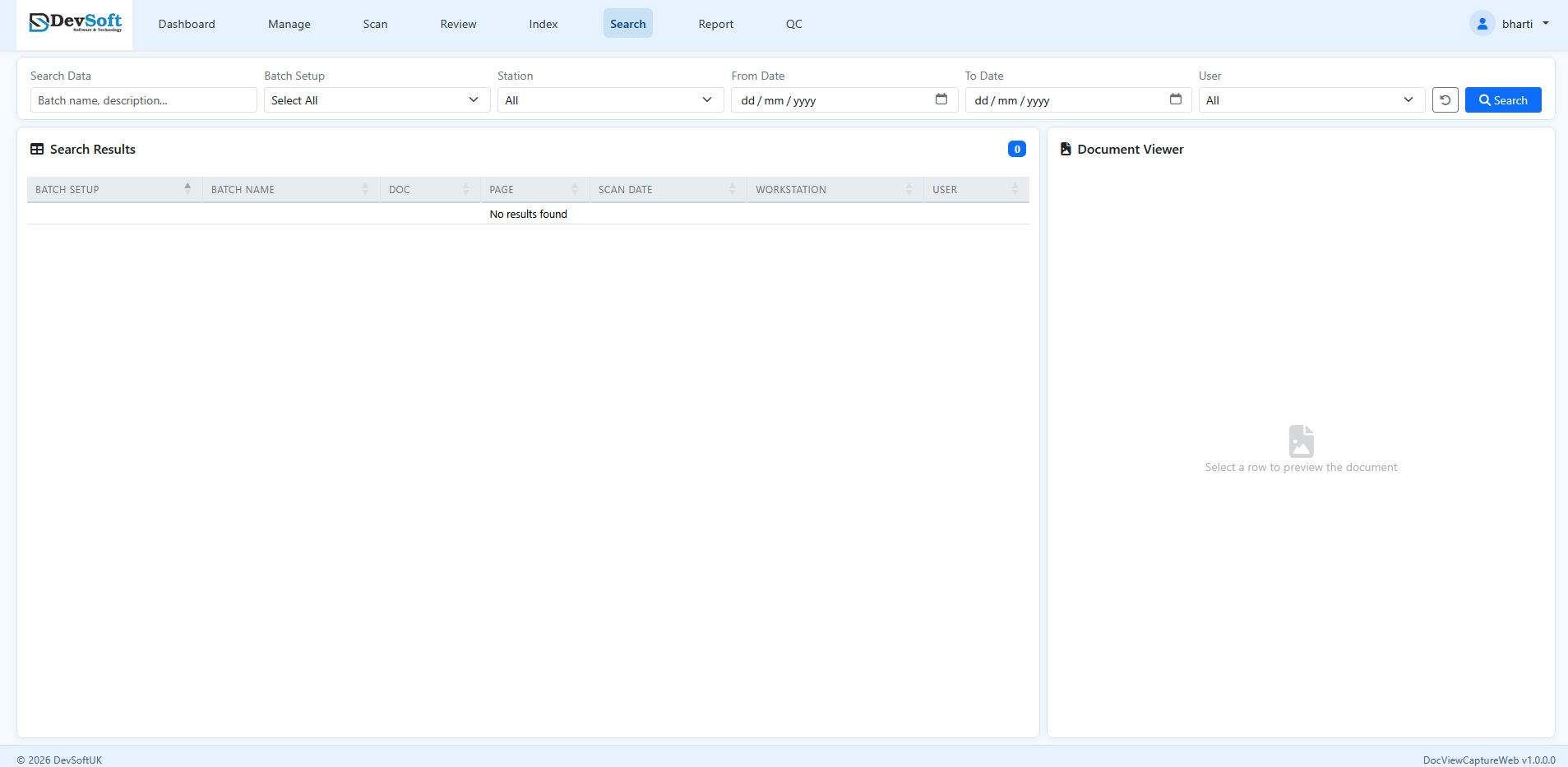
Search Criteria
Use the filter bar to build your query:
- Search Data – A generic text search field that searches across batch names, descriptions, and indexed document metadata.
- Batch Setup – Limit results to a specific batch configuration from the dropdown (select "All" to search across all setups).
- Station – Filter by the workstation where the batch was scanned or imported.
- From Date / To Date – Specify a scan date range to filter when documents were scanned.
- User – Find work processed by a specific operator.
Click Search to run the query, or the reset button (undo icon) to clear all filters.
Date Validation
The system enforces strict date ranges. The From Date cannot be later than the To Date. If you enter an invalid date range, a warning message will prompt you to correct it before the search can execute.
Search Results Table
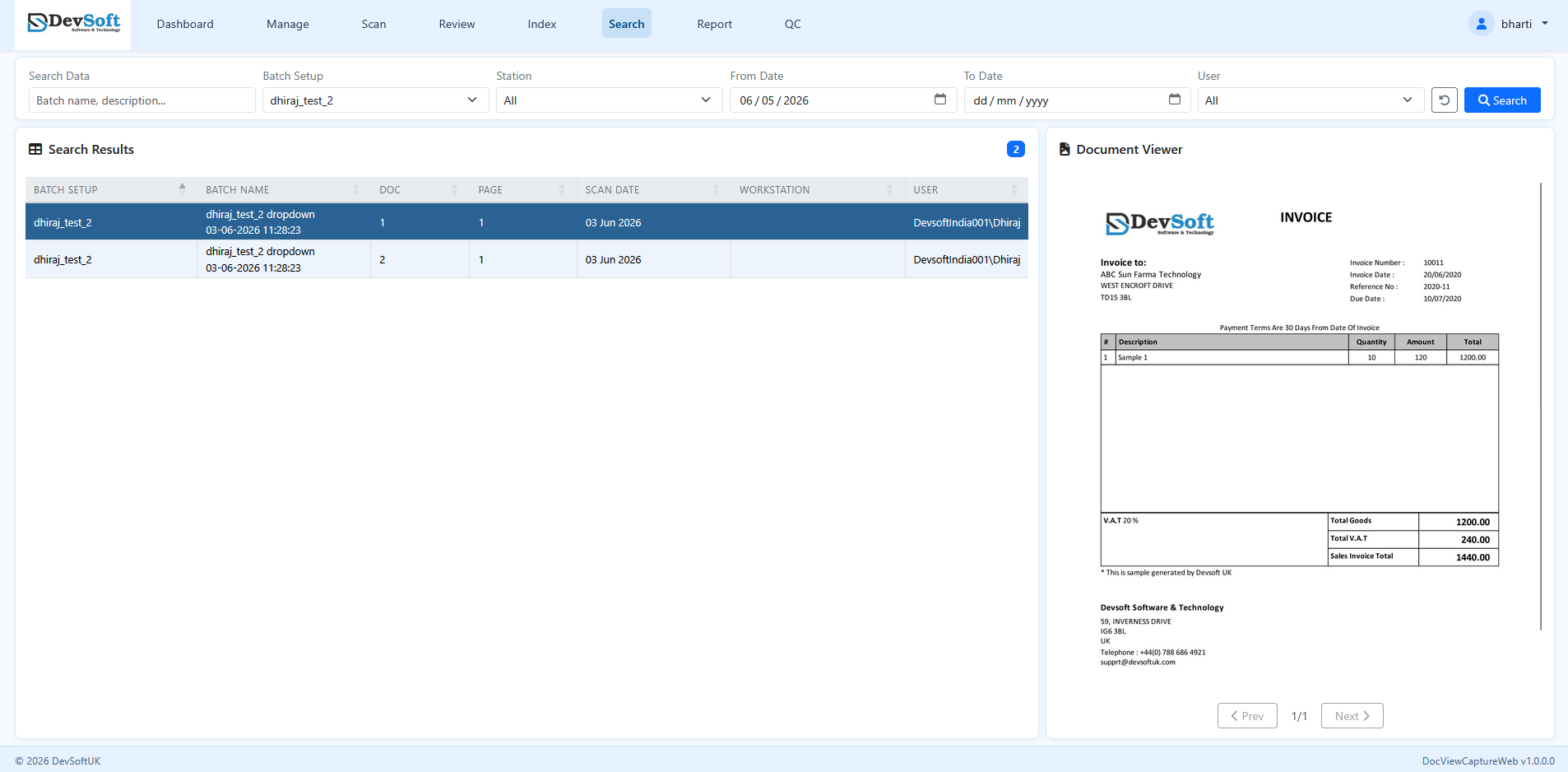
Matching results are displayed in the results table, featuring the following columns:
- Batch Setup – The configuration profile of the batch.
- Batch Name – The unique name of the batch.
- Doc – The document number within the batch.
- Page – The specific page number.
- Scan Date – The date and time the page was scanned.
- Workstation – The workstation ID where scanning occurred.
- User – The operator who processed the page.
The results counter badge next to the table title displays the total number of matched items. The table rows use alternating white and light-blue background colors (document banding) to help you visually distinguish between different documents easily.
Document Viewer
Selecting a row in the results table loads the page preview in the right panel:
- Image Preview – Displays the selected page image.
- Page Navigation – Use Prev and Next buttons below the image to cycle through pages in the document.
- Counter – Displays the current page relative to total pages (e.g.
1/3).